CReport
Reports built straight against SQL Server and PostgreSQL.
CReport is TrackElan's reporting engine: drag-and-drop layouts, direct database connections, and scheduled delivery — no ETL, no data warehouse, no third-party BI license.
Capabilities
Drag-and-Drop Report Builder
Lay out tables, charts, and cross-tabs on a canvas — bind each region to a query, no scripting required.
Native SQL Server & PostgreSQL Connections
Connect with existing credentials and query live. Switch a report's data source without rebuilding it.
Scheduling & Distribution
Run reports on a schedule and deliver them by email or to a shared folder automatically.
PDF, Excel & CSV Export
Every report renders to PDF, Excel, or CSV from the same layout — formatting carries over.
How It Works
01
Connect
Point CReport at a SQL Server or PostgreSQL instance with read access.
02
Design
Build the layout, bind fields, add filters and parameters.
03
Schedule & Distribute
Set a recurrence and export target. CReport handles the rest.
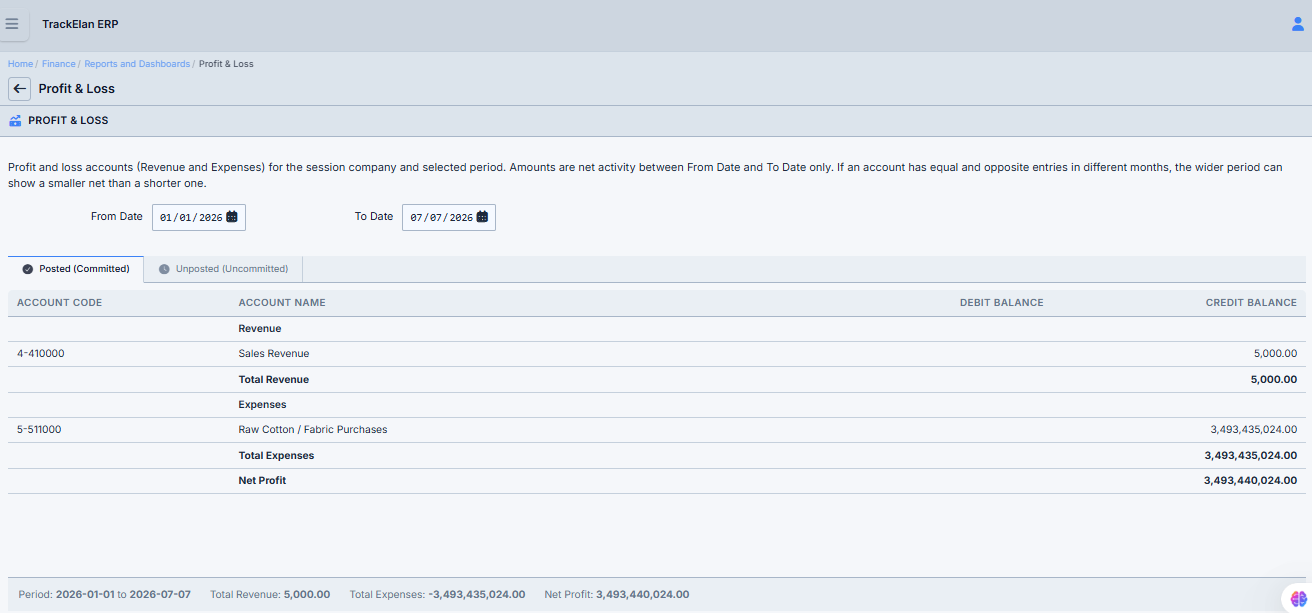
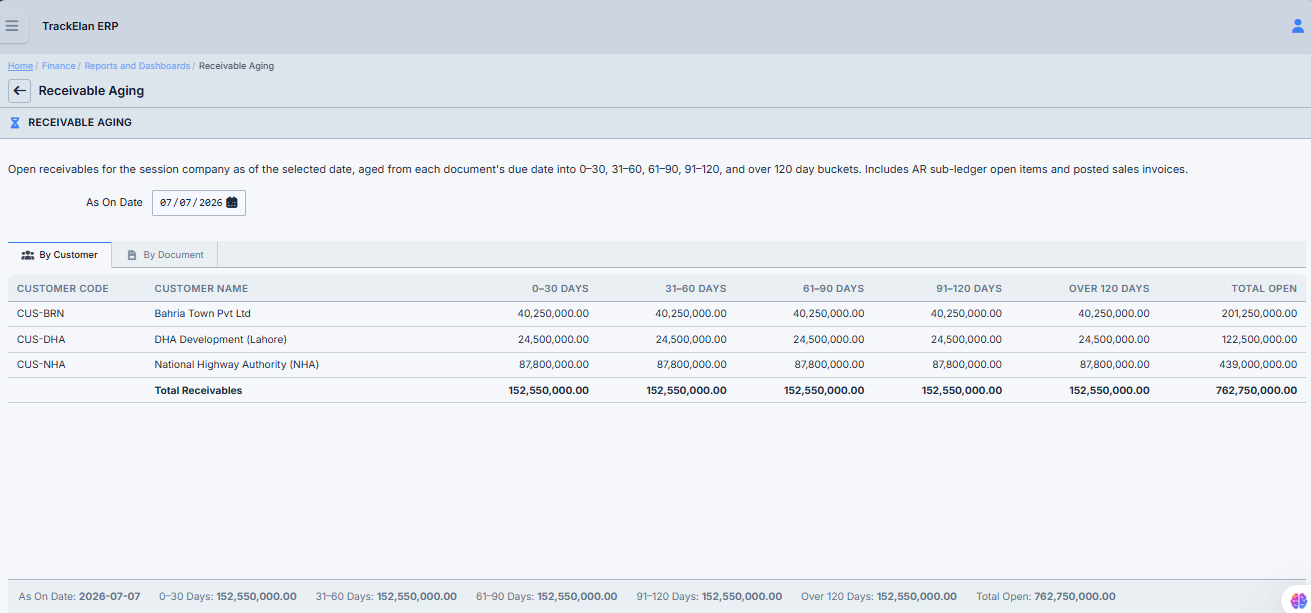
Reports Built With CReport